Prepay & save up to 25% · 3 months −20% · 6 months −22% · 12 months −25% Open a TicketClient Area
Sandbox & Survival

Vintage Story
Server Hosting

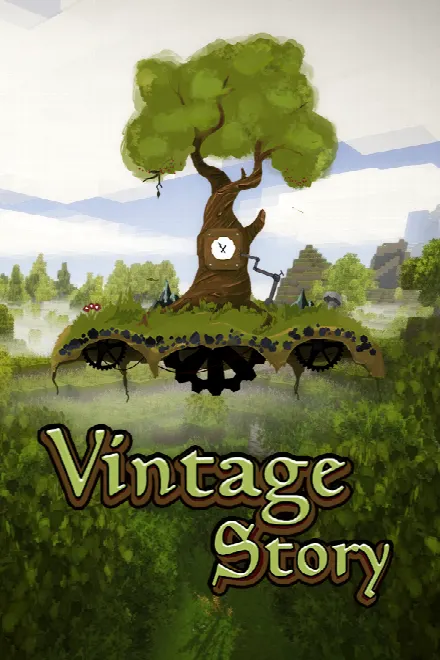
Rent a high-performance Vintage Story server on fast hardware. Instant 60-second setup, free mods, always-on DDoS protection and 24/7 support — from $10.99/mo.
  • 60-second setup
  • DDoS protected
  • 24/7 human support
  • 7-day money-back
  • AMD Ryzen + NVMe
Plans & Pricing

Choose your Vintage Story plan

Every plan includes DDoS protection, NVMe storage, one-click mods and 24/7 support. Upgrade or downgrade anytime — no setup fees.

Starter
Vintage Story
$10.99/mo
Billed monthly
Order Starter →
✓4 GB RAM
✓2 vCPU cores
✓NVMe SSD storage
✓Always-on DDoS protection
✓One-click mod / plugin installer
Plus
Vintage Story
Most popular
$20.99/mo
Billed monthly
Order Plus →
✓8 GB RAM
✓2 vCPU cores
✓NVMe SSD storage
✓Always-on DDoS protection
✓One-click mod / plugin installer
Pro
Vintage Story
$41.99/mo
Billed monthly
Order Pro →
✓16 GB RAM
✓3 vCPU cores
✓NVMe SSD storage
✓Always-on DDoS protection
✓One-click mod / plugin installer

Prices in USD. * Slots are performance-based, not licence-capped. 7-day money-back guarantee.

Why GGameHost

Everything your Vintage Story server needs

Premium hardware, real protection and a control panel built for gamers — not sysadmins.

Instant Setup

Your server is online in under 60 seconds — pick a plan, pay, play. No waiting, no manual config.

DDoS Protection

Always-on, multi-Tbps filtering on every plan and location keeps your world online through any attack.

NVMe + Ryzen

High-clock AMD Ryzen cores and NVMe SSD storage deliver zero-lag tick rates and fast world loads.

7 EU Locations

Frankfurt, Amsterdam, Paris, Warsaw, Stockholm, Milan and Madrid — host close to your players for low ping.

One-Click Mods

Install modpacks and plugins straight from the control panel — no files, no fuss.

24/7 Support

Real humans on live chat and tickets, with a 7-day money-back guarantee on every plan.

Rent a Vintage Story server for your settlement

A rented server keeps your world running after the friend who hosted it logs off, so the group can keep building, farming and riding out temporal storms on their own schedule. Almost every server setting lives in serverconfig.json: MaxClients (16 by default), Port (42420), AllowPvP, Password and the WorldConfig block with the seed, PlayStyle and map size. The official Vintage Story wiki recommends creating the world in singleplayer through the Customize menu, then copying the save into the server's Saves folder while the server is stopped. Rename the save to default.vcdbs or point SaveFileLocation at it, and the server loads it on the next start.

The second decision is who gets in. Since 1.20, dedicated servers whitelist by default, so a fresh server turns away anyone who is not on the list. /player name whitelist on adds a player without a restart. You can also set WhitelistMode to off and protect the server with Password instead. Listing on the public server browser is off by default as well, so set AdvertiseServer to true only if you want strangers. Setting DefaultRoleCode to suvisitor limits new joiners until you promote them with /player name role suplayer. Players connect on port 42420, which carries UDP as well as TCP since 1.20.

The wiki's estimate for a survival world where players spread out is 1 GB of base RAM plus 300 MB per player, with 4 CPU threads recommended. By that formula, Starter's 4 GB covers about ten players on a vanilla world. Plus (8 GB) clears the default 16-player cap with room for mods, and Pro (16 GB) is for large groups or a heavy modpack. The current stable release is 1.22.7, out since 16 August 2026, and the 1.22 line needs the .NET 10 runtime. The 1.22.4/5 server safety patch closed entity and object interactions that skipped land claim and permission checks, so keep a public server on the latest patch.

One-click mods

ModDB mods, the Mods folder and automatic client sync

Vintage Story has official mod support, and the official ModDB lists more than 10,500 mods, from theme packs and JSON content mods to C# code mods. To install one on the server, upload its .zip, unextracted, to the Mods folder while the server is stopped. It loads on the next start. You can also run /moddb install [modid] from the console. Players do not install server mods by hand. Since 1.16, joining a modded server downloads its server-side and universal mods into a per-server folder under ModsByServer, and only client-only mods are added manually. Check the game version each mod supports before updating, because 1.22 moved the game to .NET 10 and changed parts of the modding API.

ModsWorld configBackupsFTP/SFTP
$ mod install performance-pack
✓ Installed · restarting…
[ok] Vintage Story server online · 14 ms_
Control Panel

Built for Vintage Story players, not sysadmins

Your Vintage Story server comes with the full GGameHost panel. Click through to see what you get.

GGameHost
Your server● ONLINE
Console
Files
Databases
Backups
Schedules
Startup
Settings
Uptime0h 14m
CPU load2.24% / 200%
Memory866 MiB / 4 GiB
Disk231 MiB / 10 GiB
[19:37:59] [INFO] Starting server · 4 GB allocated
[19:38:00] [INFO] Loading configuration
[19:38:00] [INFO] Save data loaded
[19:38:00] [INFO] Listening on port 2####
[19:38:00] [INFO] Server online (16.5s)
[19:41:12] [INFO] Player connected
[19:41:38] [INFO] Frame time · 11 ms
say Welcome to GGameHost
/home/containerUpload
config17 minutes ago
mods27 minutes ago
saves2 minutes ago
logs17 minutes ago
server.cfg1.4 KiB · 17 minutes ago
admins.txt0.4 KiB · 17 minutes ago
start.sh1.1 KiB · 31 minutes ago
Edit any file in the browser — no FTP client needed
Backups 3 of 3 storedCreate backup
nightly-2026-07-28231.4 MiBCompleted
nightly-2026-07-27228.9 MiBCompleted
pre-update204.1 MiBCompleted
Restore any snapshot in two clicks
Schedules 3 activeNew schedule
Nightly restartEvery day · 04:00Active
Auto backupEvery day · 05:00Active
Weekly save backupSundays · 03:30Active
Restarts, backups and commands on a timer
Startup variablesSave
Server version
latest
Slots
24
Memory
4 GB
Auto-update
on
Change version or RAM flags without touching a config file
Getting Started

How to set up a Vintage Story server

Five steps, about two minutes. No command line, no port forwarding.

  1. Pick your plan

    Choose the Vintage Story plan that matches your group. Starter suits a small private world; you can upgrade in one click later without losing anything.

  2. Check out — we deploy it

    There is nothing to install and no server to configure by hand. Payment goes through and your machine provisions itself in under a minute.

  3. Open the game panel

    Your login is the email you signed up with. The panel shows live CPU and RAM, a real console, and one big Start button.

  4. Set it up for Vintage Story

    Pick your version, set the slots and allocate 3–6 GB. Mods and plugins install from the panel — no FTP, no config files by hand.

  5. Invite your players

    Copy the address from the panel and send it to your group. Plans here run up to 16+ slots. That is the whole job — the server stays online whether or not you are.

Network

Low ping for your Vintage Story players

Seven European locations, each with always-on DDoS protection and NVMe storage.

Map of Europe with GGameHost server locations in Frankfurt, Amsterdam, Paris, Warsaw, Stockholm, Milan and Madrid
FrankfurtDE
AmsterdamNL
ParisFR
WarsawPL
StockholmSE
MilanIT
MadridES
  • FrankfurtGermany
  • AmsterdamNetherlands
  • ParisFrance
  • WarsawPoland
  • StockholmSweden
  • MilanItaly
  • MadridSpain

Pick the city closest to most of your Vintage Story players and tell us when you order — we deploy your server there.

See all locations →

Recommended specs for Vintage Story

Vintage Story is a Medium-class game. For a smooth experience we recommend 3–6 GB RAM, scaling with player count and mods. CPU clock speed matters most for tick rate — our high-clock AMD Ryzen hardware keeps Vintage Story fast even under load, and you can upgrade in one click as your community grows.
Server softwareconfig files and mods
Player slotsup to 16+ slots
Recommended RAM3–6 GB
Performance classMedium
FAQ

Vintage Story hosting questions

How much does a Vintage Story server cost?
Vintage Story server hosting starts at $10.99/month on Starter. Plus and Pro add more RAM, vCPU and player slots — and paying ahead cuts the price: 20% off for 3 months, 22% for 6, 25% for 12.
How much RAM does a Vintage Story server need?
The official wiki's estimate is 1 GB of base RAM plus 300 MB per player, 4 CPU threads, and 1 GHz plus 100 MHz per player of clock speed. It calls these conservative values for a survival world where players spread out. Ten players come to about 4 GB and sixteen to about 6 GB, before mods. Mods add to that.
How many players can join a Vintage Story server?
MaxClients in serverconfig.json defaults to 16, and you can raise it. The official server guide gives no hard cap, only the RAM and CPU estimate per player. Version 1.22 also changed how big servers behave: with more than 50 players online, join, leave and death messages stop appearing in chat.
Can I move my singleplayer world to the server?
Yes. A Vintage Story world is a single .vcdbs save file. Stop the server, upload the file to the Saves folder in the server's data path, and either rename it to default.vcdbs or set SaveFileLocation in serverconfig.json to its name. The world loads on the next start. Keep a copy of the original file as a backup.
Why can't my friends join my Vintage Story server?
Since version 1.20, dedicated servers whitelist by default, so only listed players can join. Run /player name whitelist on for each friend from the console, which takes effect without a restart. You can also set WhitelistMode to off and use a server password instead.
Do my players have to install the server's mods?
Not by hand. Since version 1.16, the game downloads a server's mods when a player joins and keeps them in a separate ModsByServer folder for that server, so they never mix with singleplayer mods. Only client-side mods have to be added manually. If a mod was updated without changing its file name, the wiki's fix is to delete that server's folder and rejoin.
Do you offer cheap Vintage Story server hosting?
Yes — GGameHost is affordable Vintage Story server hosting: plans start at $10.99/month with no setup fees, and prepaying takes 20% to 25% off (3, 6 or 12 months), so a 12-month term brings the Starter plan down to $8.24/month. You still get AMD Ryzen + NVMe hardware, DDoS protection and 24/7 support — cheap Vintage Story hosting without the lag or hidden limits.
What is Vintage Story and why rent a dedicated server?
Vintage Story is a hardcore, lore-rich survival sandbox with deep crafting and a punishing wilderness. A dedicated server holds your persistent world and supports a healthy modding scene.
Can I run a modded Vintage Story server?
Yes — GGameHost is built for modded Vintage Story server hosting. Your Vintage Story server supports config files and mods: install from the one-click manager or upload your own from the control panel, and add RAM in a click if a heavy modpack needs more.
How many players can my Vintage Story server hold?
Our Vintage Story plans handle up to 16+ slots. Slots are performance-based, not licence-capped, so start small and upgrade instantly as your community grows.
How do I set up a Vintage Story server?
There is no manual install — pick a plan, check out, and your Vintage Story server deploys automatically in under 60 seconds. Then manage everything from the control panel.
How do I make myself admin on my Vintage Story server?
Set yourself as admin/op right from the control panel or live console — no config editing needed. You also get a file manager and scheduled tasks.
How do my friends join my Vintage Story server?
Share your server IP and port — friends connect in seconds, and your Vintage Story server stays online 24/7 even when you log off.
Can I customise my Vintage Story world, maps and configs?
Absolutely — edit configs visually or via full file access, change maps and seeds, and schedule restarts. Automatic backups let you restore your Vintage Story world anytime.
Where are your servers located?
In Europe — Frankfurt, Amsterdam, Paris, Warsaw, Stockholm, Milan and Madrid. Tell us your preferred location when you order.
Is DDoS protection included?
Yes — always-on, multi-Tbps DDoS filtering is included free on every plan and location.
Are automatic backups included?
Yes — schedule automatic backups and restore your Vintage Story world in a couple of clicks from the panel.
Do you offer a money-back guarantee?
Every Vintage Story plan is covered by a 7-day no-questions-asked money-back guarantee.

Ready to launch your Vintage Story server?

Spin it up in seconds and play with friends today. No setup fees, cancel anytime.

Deploy Vintage Story →